


NEWS10 ABC: Fortifying Your Digital Life – Essential Cybersecurity Tips
In an era where our lives are increasingly intertwined with technology, cybersecurity is no longer optional; it’s a necessity. As highlighted by NEWS10 ABC, staying safe online requires vigilance and a proactive approach. This guide provides essential cybersecurity tips applicable to everyone, regardless of their tech expertise.
These recommendations will help you navigate the digital world more securely, protecting your personal information and devices from potential threats. We’ll cover everything from creating strong passwords to recognizing phishing scams, empowering you to take control of your online safety. Remember that consistent effort is key to a strong cybersecurity posture.
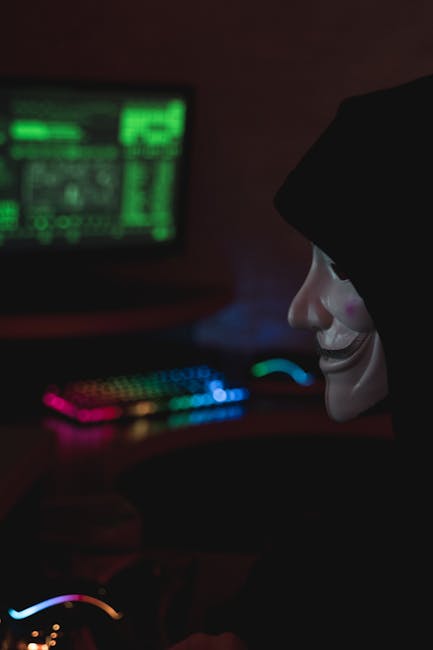
Understanding the Current Threat Landscape
The digital landscape is constantly evolving, and so are the threats lurking within it. From phishing scams to ransomware attacks, understanding the types of threats you might encounter is the first step in protecting yourself. NEWS10 ABC regularly reports on emerging cyber threats, so staying informed is crucial.
Knowing what dangers are out there, and how they operate, allows you to anticipate and mitigate risks effectively. Cybercriminals are always refining their tactics, making constant vigilance a must. By staying abreast of the latest cybersecurity news, you can better defend yourself and your data against malicious actors in the digital world.
- Phishing: Deceptive emails or messages designed to steal your personal information.
- Malware: Malicious software that can damage your devices and compromise your data.
- Ransomware: A type of malware that encrypts your files and demands a ransom for their release.
- Identity Theft: Unauthorized access to your personal information for fraudulent purposes.
Strong Passwords: Your First Line of Defense
A strong, unique password is the cornerstone of online security. Avoid using easily guessable information like your birthday or pet’s name. NEWS10 ABC often emphasizes the importance of password hygiene in its cybersecurity segments.
Poor password choices are a major contributing factor to successful cyberattacks. A complex password acts as a shield, making it significantly harder for hackers to break into your accounts. Think of a strong password as a unique key that only you possess.
- Length: Aim for at least 12 characters.
- Complexity: Use a combination of uppercase and lowercase letters, numbers, and symbols.
- Uniqueness: Never reuse passwords across different accounts.
- Password Managers: Consider using a password manager to generate and store strong passwords securely.
Multi-Factor Authentication (MFA): Adding an Extra Layer of Security
Multi-factor authentication adds an extra layer of security beyond just a password. It requires you to provide a second verification factor, such as a code sent to your phone, making it much harder for attackers to gain access to your accounts. NEWS10 ABC advocates for MFA as a critical security measure.
Even if a hacker manages to steal your password, MFA prevents them from accessing your account without that second verification method. By enabling MFA, you are essentially locking your digital doors twice, ensuring that only you can enter.
- Enable MFA: Enable MFA on all accounts that offer it, especially email, banking, and social media.
- Authentication Methods: Choose from options like authenticator apps, SMS codes, or hardware security keys.
- Backup Codes: Store backup codes in a safe place in case you lose access to your primary authentication method.
Staying Updated: Software Updates are Crucial
Software updates often include security patches that fix vulnerabilities that hackers can exploit. Regularly updating your operating system, web browser, and other software is essential for maintaining a secure system. NEWS10 ABC frequently reminds viewers to keep their software up-to-date to avoid security breaches.
Think of software updates as giving your device a regular checkup and repairing any weaknesses. These patches are like armor, protecting your system from known threats. Failing to update your software leaves you vulnerable to attack.
- Enable Automatic Updates: Configure your devices to automatically install updates whenever they are available.
- Timely Updates: Don’t delay installing updates, even if they seem inconvenient.
- Verify Updates: Ensure that updates are legitimate and come from trusted sources.
Recognizing and Avoiding Phishing Scams
Phishing scams are becoming increasingly sophisticated, making it harder to distinguish them from legitimate communications. Be cautious of suspicious emails or messages that ask for personal information or contain unexpected attachments. NEWS10 ABC regularly reports on the latest phishing techniques to help viewers stay vigilant.
These scams often mimic legitimate organizations to fool you into providing sensitive information. By being skeptical and carefully examining emails and messages, you can avoid falling victim to phishing attempts. Always verify any suspicious request through a separate, trusted channel.
- Verify Sender: Check the sender’s email address carefully for inconsistencies or misspellings.
- Beware of Urgency: Be wary of messages that create a sense of urgency or demand immediate action.
- Don’t Click Suspicious Links: Avoid clicking on links in emails or messages from unknown or untrusted sources.
- Report Phishing: Report suspected phishing attempts to the appropriate authorities.
Securing Your Network: Protecting Your Home Wi-Fi
Your home Wi-Fi network is the gateway to your digital life. Securing it with a strong password and enabling encryption is crucial for protecting your devices and data. NEWS10 ABC provides tips on securing your home network to prevent unauthorized access.
An unsecured Wi-Fi network is like leaving your front door open for anyone to enter. By properly securing your network, you are building walls around your digital home, keeping intruders out and protecting your personal information.
- Strong Wi-Fi Password: Use a strong, unique password for your Wi-Fi network.
- Enable WPA3 Encryption: Use WPA3 encryption (or WPA2 if WPA3 is not supported) for your Wi-Fi network.
- Guest Network: Create a separate guest network for visitors to prevent them from accessing your primary network.
- Disable WPS: Disable Wi-Fi Protected Setup (WPS) to prevent attackers from easily gaining access to your network.
Mobile Security: Protecting Your Smartphones and Tablets
Smartphones and tablets are vulnerable to many of the same threats as computers. Protecting your mobile devices with a strong passcode, enabling remote wipe, and being cautious of app permissions is essential. NEWS10 ABC provides guidance on mobile security to help viewers stay safe on the go.
Mobile devices are often used to access sensitive information, making them prime targets for cybercriminals. Treat your smartphone or tablet like a mini-computer and apply the same security precautions. A lost or stolen device can lead to significant data breaches if not properly secured.
- Strong Passcode: Use a strong passcode or biometric authentication (fingerprint or facial recognition) to secure your mobile devices.
- Enable Remote Wipe: Enable remote wipe to erase your data if your device is lost or stolen.
- App Permissions: Review app permissions carefully before installing new apps.
- Mobile Security Software: Consider using mobile security software to protect against malware and other threats.
Privacy Settings: Controlling Your Online Footprint
Take control of your online footprint by adjusting your privacy settings on social media platforms and other online services. Limit the amount of personal information you share and be aware of who can see your posts and activity. NEWS10 ABC emphasizes the importance of protecting your privacy online.
Your online presence can reveal a lot about you, making you vulnerable to targeted attacks and privacy breaches. By carefully managing your privacy settings, you can control who has access to your information and limit your exposure to potential threats. Think of it as managing your digital reputation and safeguarding your personal life.
- Review Privacy Settings: Regularly review and adjust your privacy settings on social media and other online services.
- Limit Information Sharing: Be mindful of the personal information you share online.
- Be Aware of Tracking: Be aware of how websites and apps track your online activity.
Staying Informed: Cybersecurity Resources and Updates
The cybersecurity landscape is constantly changing, so it’s important to stay informed about the latest threats and security best practices. Follow reputable cybersecurity news sources, attend cybersecurity workshops, and consult with security experts to stay ahead of the curve. NEWS10 ABC is a valuable resource for staying up-to-date on cybersecurity news and developments.
Cybersecurity is not a one-time fix but an ongoing learning process. By continuously expanding your knowledge and staying informed, you can adapt to new threats and refine your security practices. Consider this ongoing education as an investment in your digital wellbeing.
- Follow Cybersecurity News: Subscribe to reputable cybersecurity news sources to stay informed about the latest threats.
- Attend Workshops: Attend cybersecurity workshops and webinars to learn about best practices.
- Consult Security Experts: Consult with cybersecurity experts for personalized advice and guidance.
Conclusion: A Proactive Approach to Cybersecurity
Protecting yourself in the digital landscape requires a proactive and ongoing effort. By implementing the essential cybersecurity tips outlined in this guide, inspired by NEWS10 ABC’s coverage, you can significantly reduce your risk of becoming a victim of cybercrime. Stay vigilant, stay informed, and prioritize your digital security.
Cybersecurity is a shared responsibility. By taking individual action to protect yourself, you are also contributing to a safer online environment for everyone. By implementing these strategies and staying vigilant you can significantly reduce your risk!
